Authentication
Green Street APIs use a Client Credentials Grant for authentication. This process requires a client_id and client_secret which is then used to fetch a temporary access token. Read more about this process here: OAuth 2.0 RFC 6749
Any API request made in the Swagger tab of this Developer Portal will automatically be authenticated as long as you are logged in. Therefore, there is no need to manually generate an access token. However, if you are making requests outside of this Developer Portal, you will need to follow the steps below to generate an access token.
Important note! There is no need to fetch a new token with every call. Please cache the token for the full duration and only fetch a new token after it expires.
-
Login to this Developer Portal
You must have a Green Street Account to login. Talk to your Account Representative to gain access.
-
Go to the client credentials page
- Click
Get Credentialsto generate yourclient_idandclient_secret
- Click
-
To improve security, all Green Street APIs verify that all requests (both token and data) include a
User-Agentheader. This is typically included by default for clients such as Postman, but may not be included from clients such as Azure Functions. -
Using your
client_idandclient_secret, generate an API token.-
Using this Developer Portal Swagger tab and the Login API:
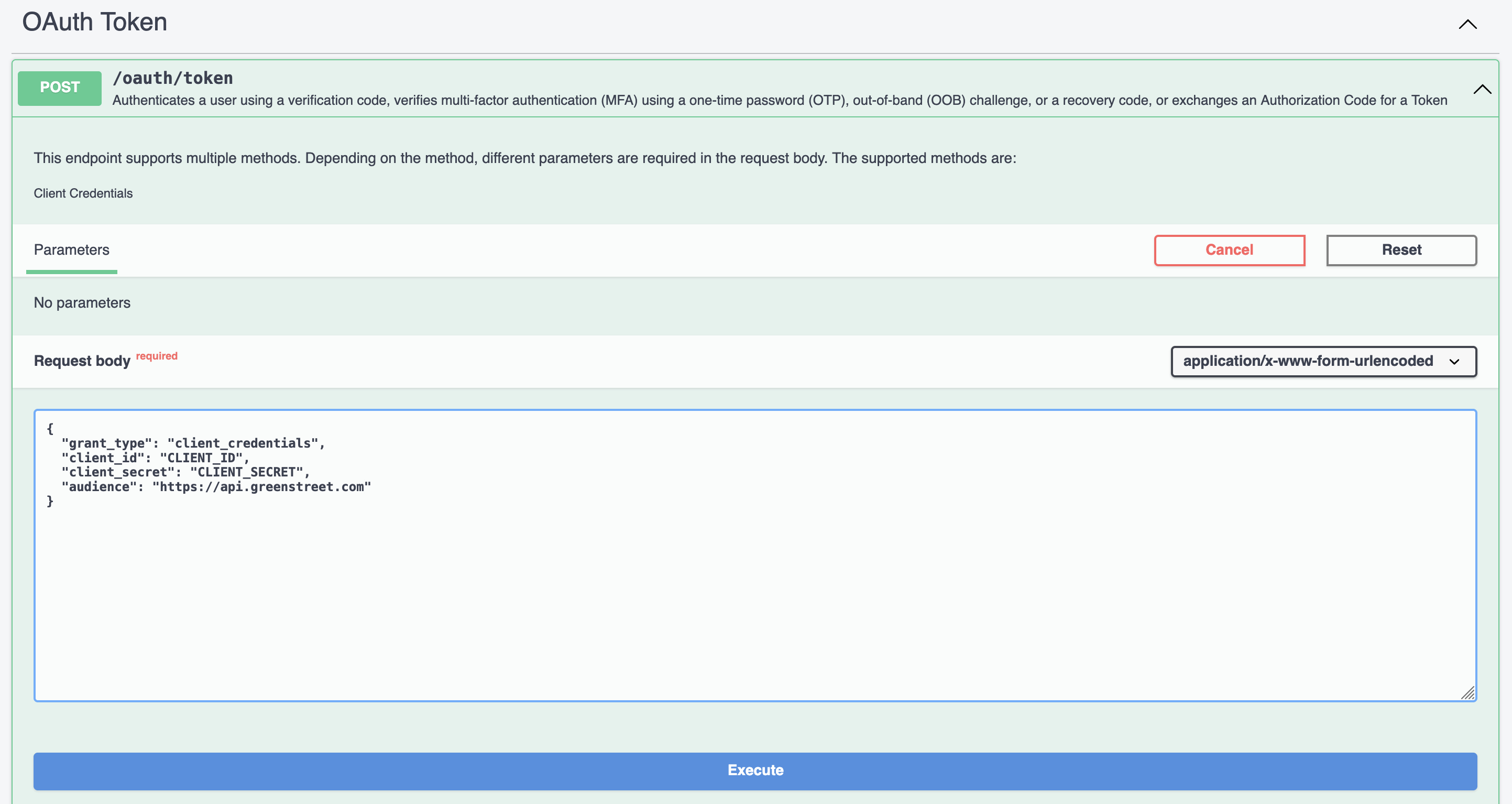
-
Using CURL:
curl --request POST \\ --header "content-type: application/json" \\ --data '{{"client_id":"CLIENT_ID","client_secret":"CLIENT_SECRET","grant_type":"client_credentials","audience":"https://api.greenstreet.com"}}' \\ https://login.greenstreet.com/oauth/token -
Using Postman:
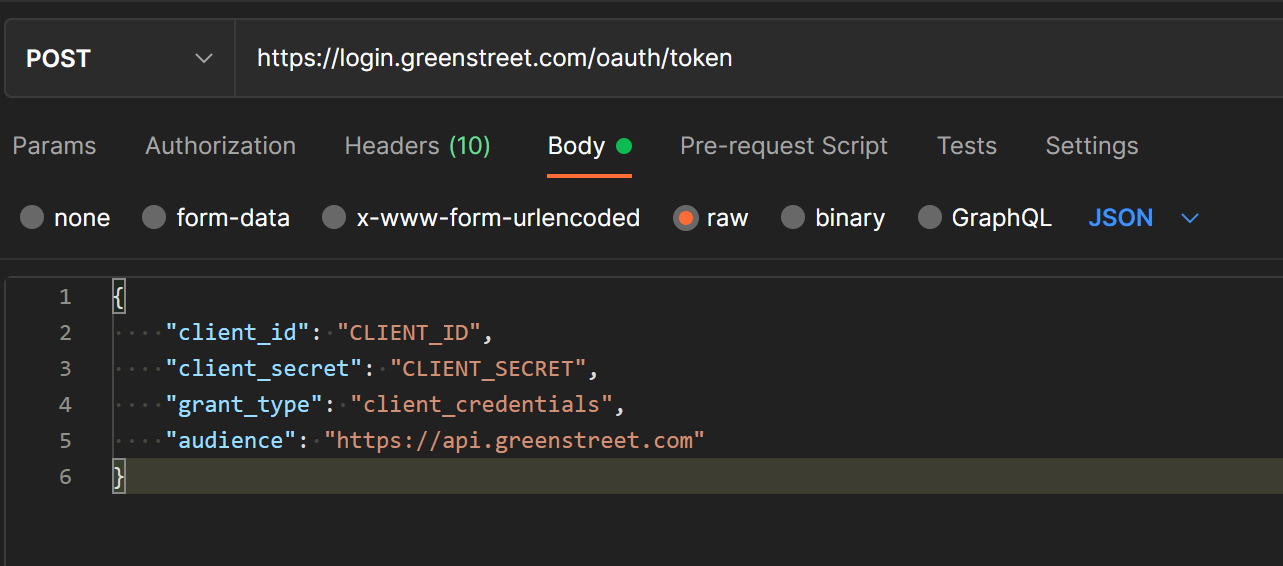
-
Using Python:
    import requests

    url = "https://login.greenstreet.com/oauth/token"
    data = {{
        "client_id": CLIENT_ID,
        "client_secret": CLIENT_SECRET,
        "grant_type": "client_credentials",
        "audience": "https://api.greenstreet.com"
    }}

    response = requests.post(url, data=data)
    print(response.text)
-
-
When making an API request, use this token as your authorization bearer token.
-
Using CURL:
curl --request GET \\ --header "Authorization: Bearer AUTH_TOKEN" \\ https://api.greenstreet.com/examples?region=na -
Using Postman:
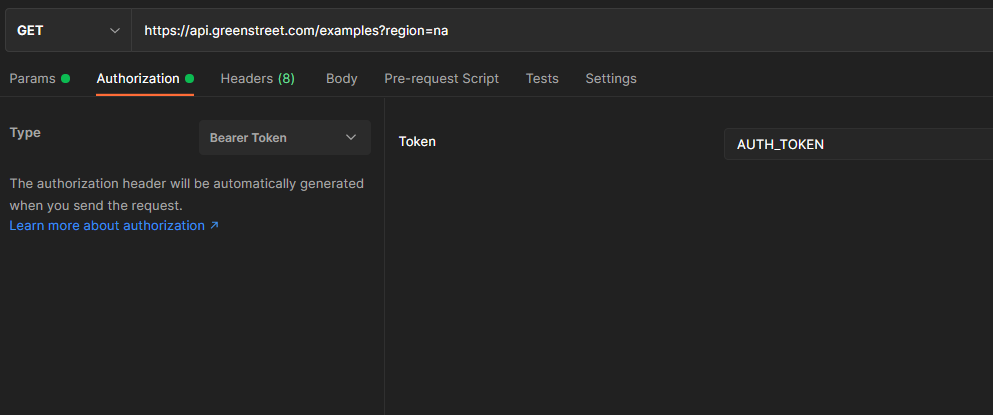
-
Using Python:
    import requests

    url = "https://api.greenstreet.com/examples"
    params = { "region": "na" }
    headers = {"Authorization": "Bearer " + AUTH_TOKEN}

    response = requests.get(url, headers=headers, params=params)
    print(response.text)
-
-
The token will contain an expiration date/time in the format of
exp = XXXXwhereXXXXis the number of "Seconds Since the Epoch" or seconds since1970-01-01T00:00:00Z UTC. Please cache the token for the full duration. You can fetch a new token after it expires by repeating step 4.
